A matching picture is not necessarily a matching file
To verify a plain file copy, compare its contents and then open the copy. These answer separate questions. Byte equality establishes that the selected contents match; opening checks whether a viewer can use them. Neither step inventories a whole photo library.
This guide includes a controlled experiment you can repeat without selecting personal files. We created five small SVG image files with precisely defined changes. You can inspect the source, download the exact bytes, compare the fingerprints and run the same pairs in the local checker.
Five files that expose four common assumptions


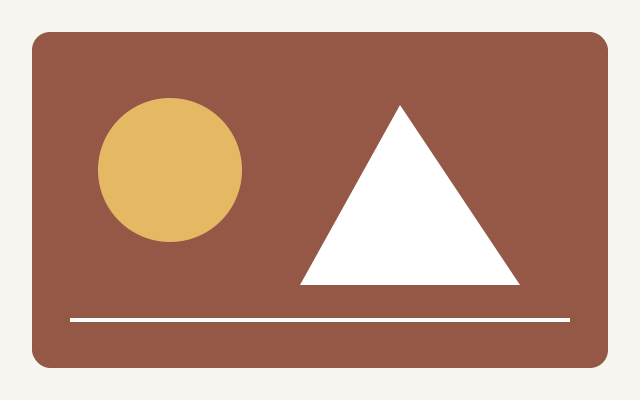
Original KYD SVG test graphics, not camera photos. The first two use identical drawing instructions; only their metadata differs. No third-party image is used.
The reference is a 640 × 400 geometric SVG with a small metadata value. It contains no scripts, external resources or private information. The exact copy retains every byte. One variant changes only the metadata value; another changes one color character. Both preserve the reference’s byte count. The truncated variant retains only the first 200 bytes.
We use five pairs, including the deliberately broken file against itself. Expected outcomes follow from the construction of the files, not from trusting the checker’s verdict:
| Pair | Byte sizes A / B | Expected result | What it challenges |
|---|---|---|---|
| Identical copy | 458 / 458 | Byte-identical | A new filename did not change the contents. Opening the image is still a separate check. |
| Metadata-only change | 458 / 458 | Different contents | The drawing commands are unchanged, but one metadata byte differs. A mismatch alone is not a corruption diagnosis. |
| Same size, different drawing | 458 / 458 | Different contents | One color byte differs. Equal file sizes did not establish identical contents. |
| Truncated file | 458 / 200 | Different contents | The comparison detects different contents, not the cause. This supplied fixture is deliberately incomplete. |
| Two identical broken inputs | 200 / 200 | Byte-identical | Identical contents can still be invalid image data. A match is not an image-health check. |
The important contrast: the metadata-only variant keeps the drawing instructions unchanged but must fail a byte-equality test. Meanwhile, two copies of the truncated input must pass that test despite having incomplete image markup. “Different” does not diagnose corruption, and “identical” does not certify image health.
What the browser actually showed on October 15
We ran all five case buttons in the Codex in-app browser on Windows against a local preview of this build. Each calculation matched the expected outcome and both Node-generated reference hashes. These are recorded software observations, not a test of a reader’s photo library or a third-party certification.
| Case | Observed byte counts | Observed verdict | Reference hashes |
|---|---|---|---|
| Identical copy | 458 / 458 | Byte-identical | Both matched |
| Metadata-only change | 458 / 458 | Different contents | Both matched |
| Same size, different drawing | 458 / 458 | Different contents | Both matched |
| Truncated file | 458 / 200 | Different contents | Both matched |
| Two identical broken inputs | 200 / 200 | Byte-identical | Both matched |
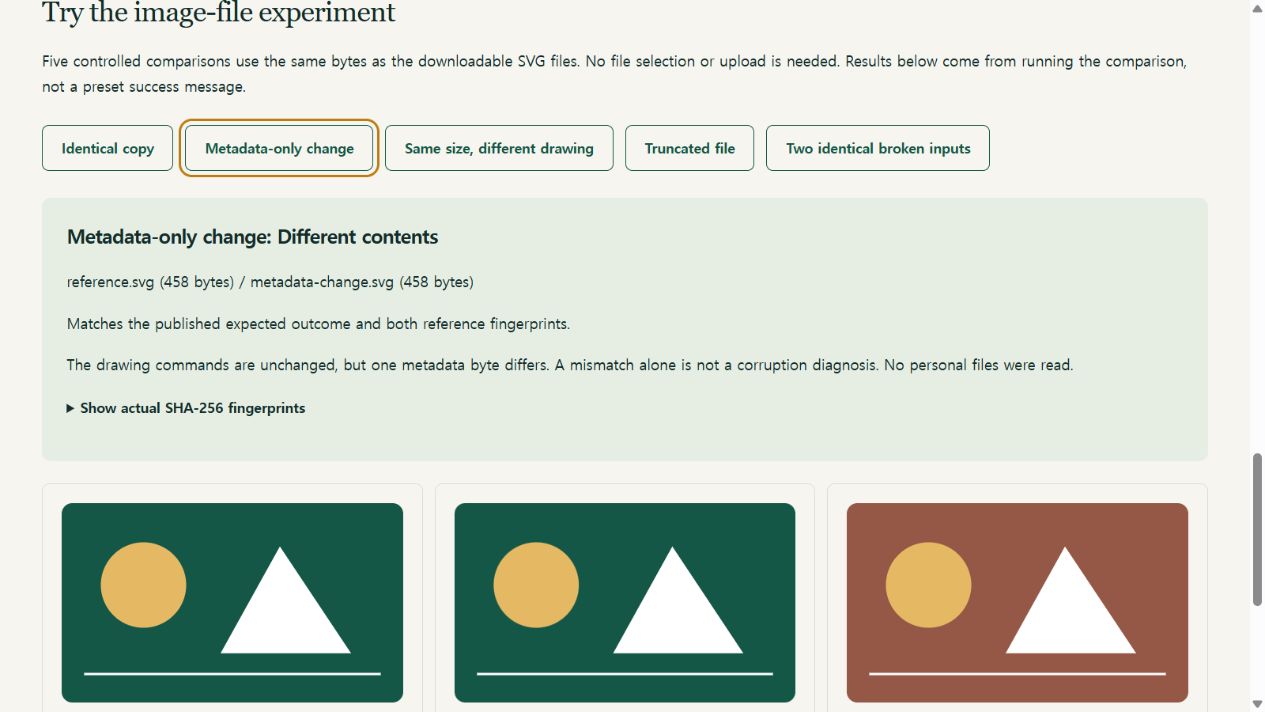
We also selected the generated reference and exact-copy files through the ordinary file pickers, then changed the second selection to the metadata variant. The first pair matched and the second differed. Changing a selection hid the old result; clearing disabled report saving. No-selection validation and the original text demo passed.
The three preview images loaded at 640 × 400 intrinsic pixels. The reference and metadata variant looked the same, while the color variant differed. Opening the 200-byte truncated SVG directly produced an XML parsing error. That observation makes the last row important: two matching invalid files are not evidence of a usable photo.
Boundaries: this was one browser environment. The file-picker test used generated local files, not a browser download-and-reselect round trip. It does not establish mobile-device compatibility or behavior for camera formats. Read the machine-readable observation record and repeat the experiment yourself.
Repeat the experiment with or without downloading
Route A: run the built-in image cases
- Open the image-file experiment. Choose one of the five named case buttons.
- Read the pair names, byte counts, computed result and reference-check message. The page calculates the result from embedded copies of the same public fixture bytes; it does not read your selected personal files.
- Expand the fingerprints and compare them with the published reference list. Run the broken-input pair as well as the successful-copy pair.
Route B: repeat through the ordinary file pickers
Download the reference and the variant you want below. Use the download links, not “save webpage,” which may wrap or rewrite a document. If your browser opens the SVG instead, save the linked file without editing its contents. First check its byte count and fingerprint.
- reference.svg — 458 bytes. Original geometric test chart.
- identical-copy.svg — 458 bytes. Exact copy; only the filename is different.
- metadata-change.svg — 458 bytes. One metadata byte changed. Drawing instructions unchanged.
- visible-change.svg — 458 bytes. One color byte changed; same byte count, different drawing.
- truncated.svg — 200 bytes. Only the first 200 bytes retained; deliberately incomplete XML.


Download SHA-256 reference list · Machine-readable manifest
- In the checker’s File A field, select the downloaded reference. In File B, select a variant.
- Choose Compare files. Compare the observed size, result and hashes with the table and reference list.
- For the last case, select
truncated.svgin both fields. Expect byte equality, not a repaired image. - If a result differs from the reference, stop. Check whether you saved the SVG file itself or a browser-generated HTML page, then download a fresh copy. Do not experiment on your only personal original.
The fixtures are original KYD teaching files. You may reuse, modify and redistribute them for testing with attribution to this guide; clearly label modified versions. A reference hash supplied by the same publisher is useful for detecting an altered download, not independent proof that the publisher is trustworthy.
Check the reference without this website’s calculator
For example, in PowerShell opened in your downloaded sample folder, this read-only command prints a SHA-256 digest:
Get-FileHash -Algorithm SHA256 -LiteralPath ./reference.svg
The expected reference size is 458 bytes, and its SHA-256 is:
e07762ee42804677d7ebefe867a4fda1a75ab24202c83b00f2cf0a60ff69cf5c
Uppercase versus lowercase hexadecimal letters do not change the digest. Reference hashes were generated using Node’s crypto implementation, separately from the browser’s Web Crypto calculation. The fixture generator documents every change.
Now compare a real copy without changing the source
Choose a source that is already readable and locally available, then make an ordinary copy into a new folder. Wait until copying finishes. Do not overwrite a previous backup during this test. Compare the source with that copy, not an original with a resized sharing export.
| Observed result | Next useful action |
|---|---|
| Byte-identical, non-empty | Open the copied image. Play a copied video’s beginning, middle and end and check expected audio. Then consider whether the destination survives the source’s deletion or account failure. |
| Both inputs empty | Do not count this as a photo backup. Two zero-byte files can match perfectly. |
| Different sizes | Check whether an export, resize or incomplete copy explains the difference. Retry a plain copy into a new folder while retaining both inputs. |
| Same size, different contents | Names and sizes did not establish equality. Check the files’ origin and any editing or metadata workflow; the checker cannot locate or explain the change. |
| Read error or size limit | No comparison completed. Keep the originals; use a trusted desktop workflow for files over 32 MiB. Do not compress originals merely to fit this checker. |
Apple documents multiple ways to archive or copy iCloud information. Record which export route you used. An unmodified-original download and a rendered or converted version are different comparison targets. Keeping both may meet your needs better than declaring one corrupt.
A short mismatch investigation
- Confirm the target. Are you checking a plain copy, an edited derivative or a cloud export? Write that down before interpreting the result.
- Check local availability. A cloud-backed picker may download an item before the tool reads it. Choose files already stored locally if you want to isolate a disk-to-disk copy check.
- Repeat narrowly. Copy one readable source into a fresh folder. Compare that pair. If it matches but an earlier export differs, investigate the export settings rather than blaming the copying method.
- Preserve an unresolved result. Keep both files and a private note of the workflow. Do not rename a variant over the source to make a discrepancy disappear.
- Stop on hardware symptoms. If a drive disconnects or repeatedly reports read errors, stop repeated experiments and seek suitable recovery assistance. This browser tool cannot diagnose or repair a drive.
Saving the checker’s text result omits filenames but includes fingerprints and sizes; keep it private. The new on-screen next step depends on the actual result, including a warning for empty matching inputs. It is not a “safe to delete” instruction.
The small text self-test is still available
The original Try known demo button compares the UTF-8 bytes of abc against abc, then against abd. The first pair matches and the second differs despite both being three bytes. The SHA-256 reference for abc, with no newline, is:
ba7816bf8f01cfea414140de5dae2223b00361a396177a9cb410ff61f20015ad
This is a useful quick self-test. The image fixtures add the distinction that a byte-level test cannot infer whether the drawing changed or the file still decodes. A text-only self-test did not establish those viewer outcomes.
What remains outside the experiment
The checker reads the selected bytes in memory, compares them directly and separately calculates SHA-256. It does not upload, decode, repair, scan for malware or delete files. MDN notes that the browser digest API needs the whole input in memory and a secure context; the 32 MiB-per-file limit is intentional.
One successful pair is not a complete-library audit. Our experiment does not check album membership, original capture dates, cloud account access or Live Photo pairing. For motion components, continue with the Live Photo component guide. For a collection, use an appropriate batch inventory and verification workflow rather than extrapolating from one pair.
After checking copies, follow the non-destructive recovery drill to test retrieval from the destination you intend to rely on. Preserve your originals until the wider plan is verified.
Sources & scope
Source pages checked October 15, 2026. Provider behavior is source-based; examples and the planning method are KYD’s own synthesis, not a hands-on cloud-service test.